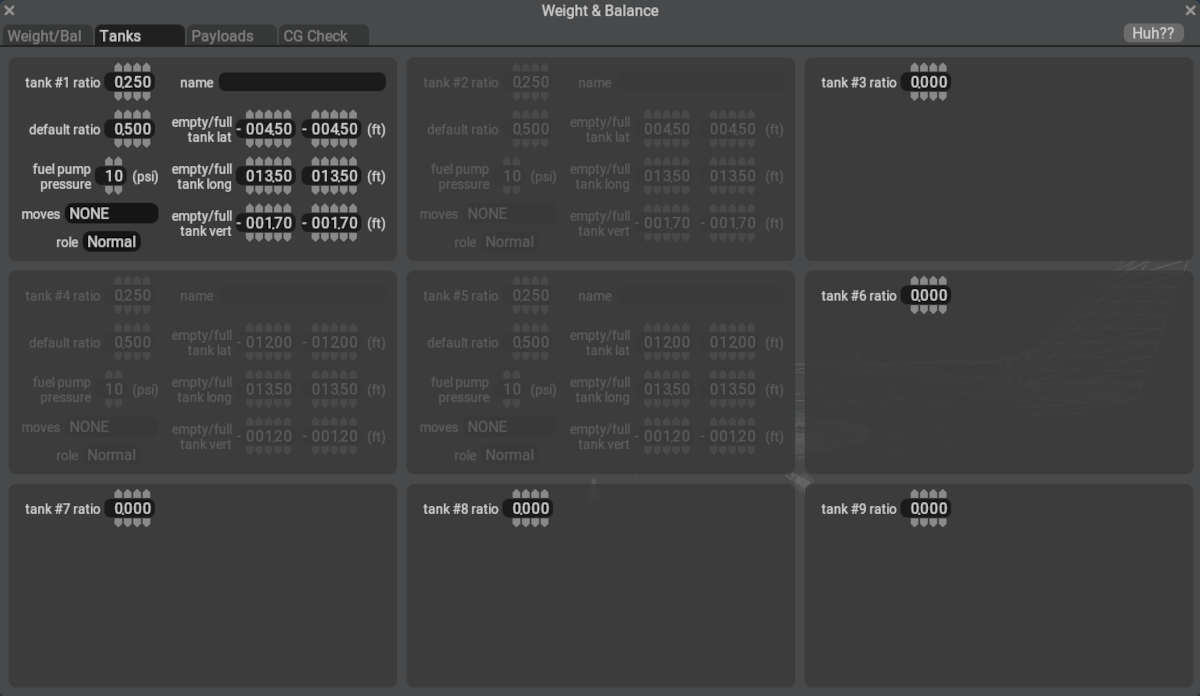
General
This Tanks Tab is used to configure your fuel tanks, i.e. how much fuel each tank holds, where the Cg of each tank is located, and what role each tank performs. The tank role can affect the order of tanks in which fuel is drawn when multiple tanks are present on the same side.
X-Plane uses the lateral location of the tank CGs configured above to establish whether a tank is a Left Side tank, a Right Side tank, or a Centerline tank. Tanks with negative lateral locations are Left Side and tanks with a zero lateral location are centerline. Of course positive lateral locations indicate a Right Side fuel tank. You will find several fuel transfer related datarefs using the Left / Right descriptor in them.
See individual widget tooltips above for more information, and also refer to the Modeling Systems > Fuel Systems section of the manual for more information on tanks and fuel transfer.