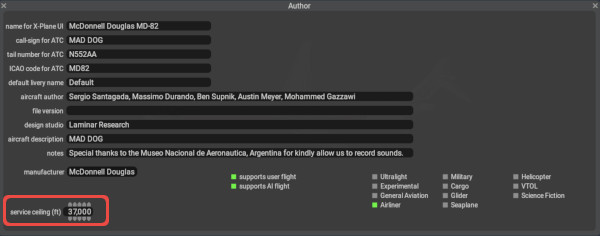
For Version 12.1+
- Added a service ceiling parameter in the lower left corner.
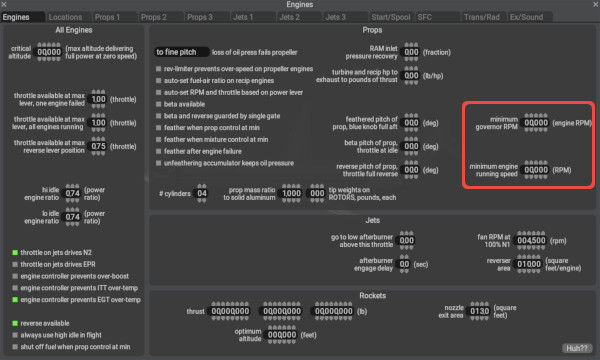
On Standard / Engine Specs / Engines Tab / Props Panel:
- Added widget visibility context. The minimum governor RPM and minimum engine running speed widgets are visible ONLY for propeller engine types.
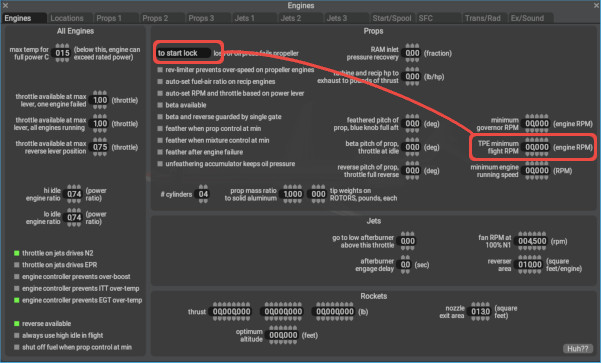
- Added widget visibility context. The TPE minimum flight RPM widget is now only displayed when the fixed turbine engine type is selected AND the loss of oil pressure pull-down widget is set to start lock
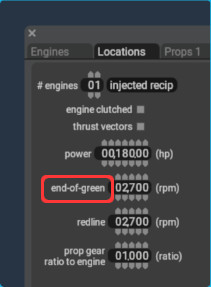
On Standard / Engine Specs / Locations Tab:
- The greenline RPM label is renamed to end-of-green and widget is only displayed for reciprocating engines. This tells X-Plane the RPM at which the engine can make its full rated power. In most applications, the end-of-green RPM will match the redline RPM, but may be lower depending on the simulation desired.
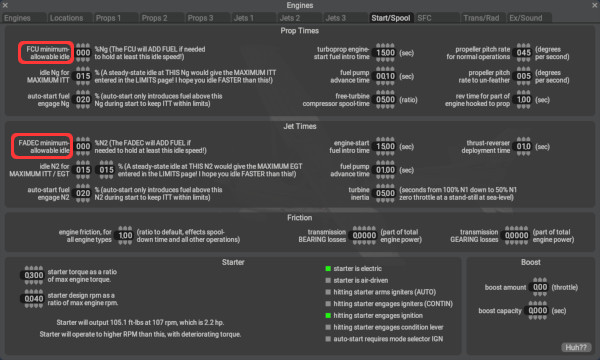
On Standard > Engine Specs > Start/Spool Tab:
- On the Prop Times panel, added a FCU minimum allowable idle parameter, and on the Jet Times panel, added FADEC minimum allowable idle parameter. These parameters allow you to set a Ng/N2 target for these fuel controllers when the engine is under a heavy generator load. Previously, the engines could bog down to unsustainably low RPMs.
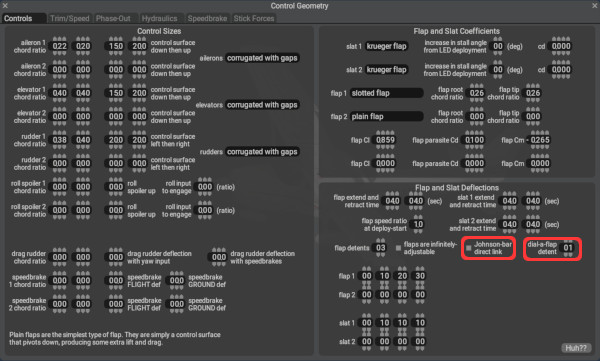
On Standard / Control Geometry / Controls Tab/ Flap and Slat Deflections Panel:
- Added a manual Johnson-bar direct link option for flaps. This option simulates the manually actuated flap system of some Pipers
- Added a dial-a-flap detent parameter. This simulates the flap system of McDonnell/Douglas aircraft.
On Standard / Control Geometry / Controls / Flap and Slat Deflections Panel:
- Added a HUH Link to a video of Flap explanations. Video is also available on Flaps page of this manual.
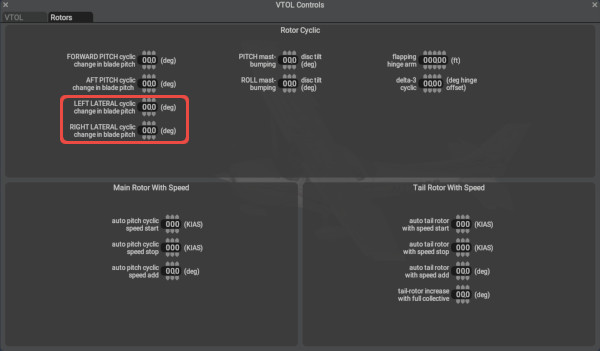
On Expert > VTOL or Helo controls > Rotors Tab > Rotor cyclic Panel:
- The Lateral cyclic deflection angle is now separated out into left and right roll input parameters, which is needed for Robinson helicopters. Previously it was just a single value.
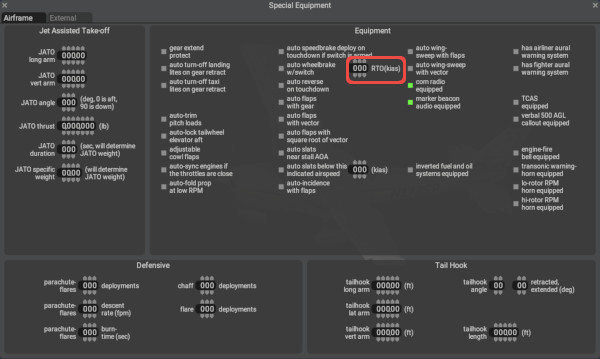
On Expert > Special Equipment > Airframe Tab > Equipment Panel:
- The auto wheelbrake checkbox is now accompanied by a minimum arming speed parameter. If the auto-brake is set to the Rejected take-off mode and you accelerate past this speed during takeoff, then the RTO system will be armed and ready to apply the brakes automatically given the conditions below.
    --ARM Criteria for RTO AUTOBRAKE--
    *   wheels on the ground
    *   have the auto-brake selector in RTO position (-1 dataref value)
    *   rolling faster than the RTO arming speed you configure in PlaneMaker
    *   All throttles more than 50% of the way forward with reversers stowed

    --TO TRIGGER max effort,full ABS, RTO AUTOBRAKING--
    *   AUTOBRAKE Armed per above criteria
    *   retard all throttles below 50% OR open the reversers with any throttle setting.
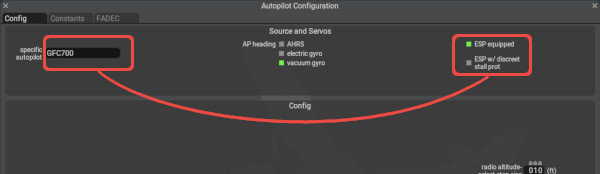
On Expert > Autopilot Configuration > Config Tab:
- When the GFC700 autopilot ESP and USP checkbox is selected, then a NEW checkbox option for discreet stall protection becomes available. This is a feature found on some Cirrus aircraft.
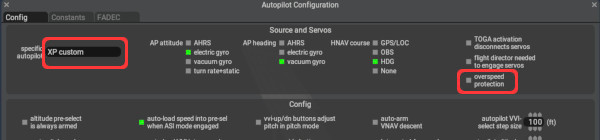
- For custom autopilots, the overspeed protection can now be un-checked (it was always ON previously).
On Expert > Invisible Parts > Particle effects Panel:
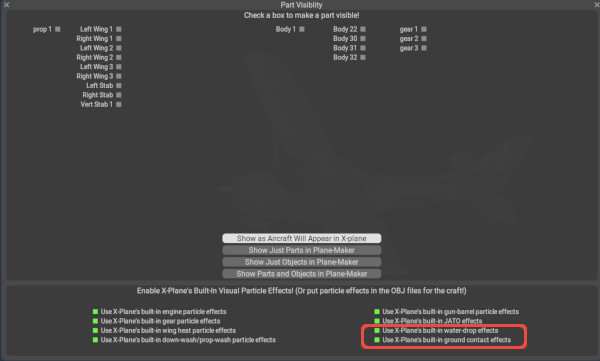
- Added particle-fx checkbox options for ground (brown-out and white-out) and water drops.